
Frequently Asked Questions
Back to Main Propertynews Website
Frequently Asked Questions
- Home
- FAQ Homepage
- FAQs
- How do I login to the PropertyPal CMS?
How do I login to the PropertyPal CMS?
Last Updated 27 May 2026
Less than a minute to read
To login to the PropertyPal CRM please follow the steps below:
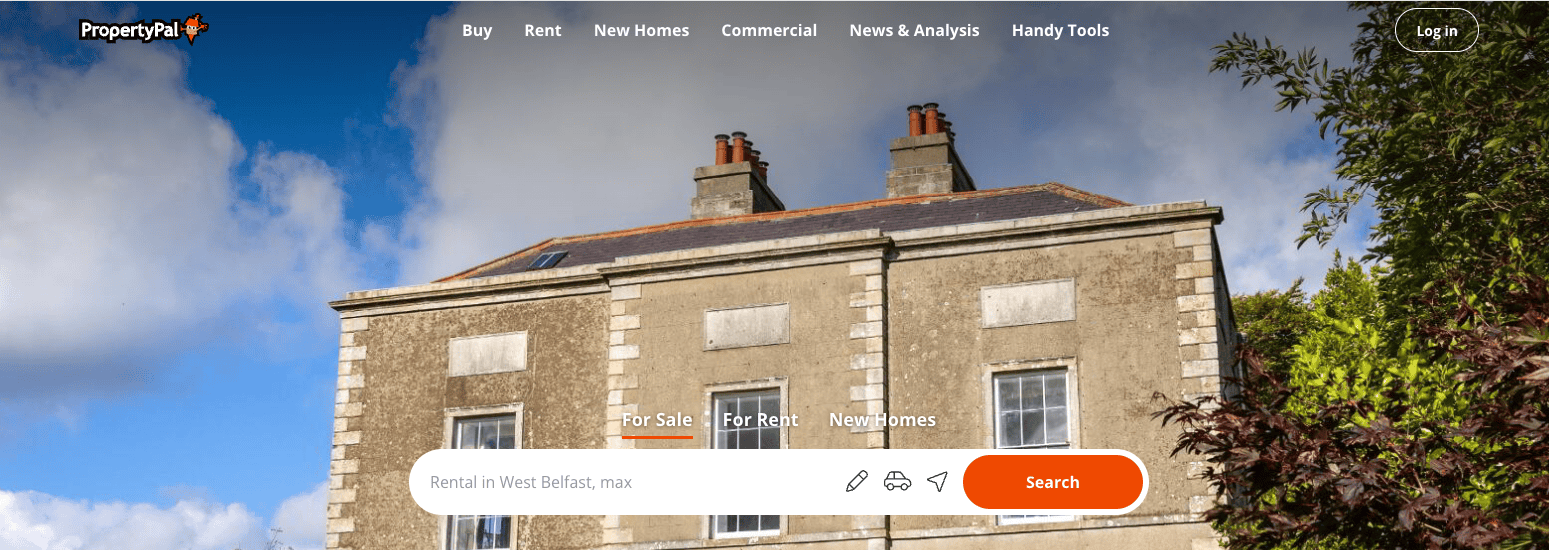
1. Go to PropertyPal.com and click Login in the top right hand corner of the screen.
 2. You will be taken to a Login Page where you will see Estate Agents Login towards the bottom of this form.
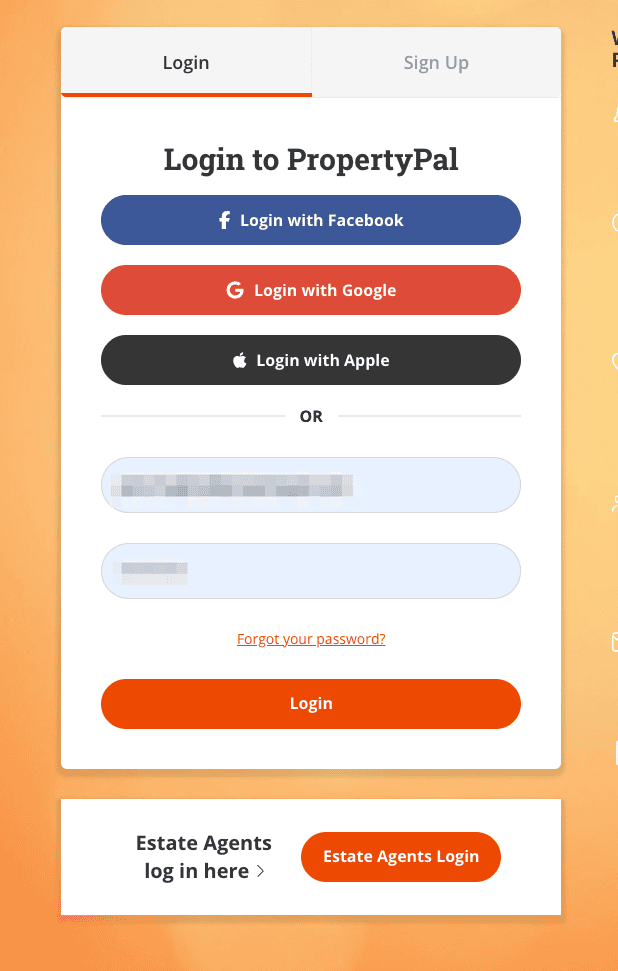
Click on the Estate Agents Login and login using your details.
back to top
Other articles in this section
- A property was advertised on Propertynews a while ago, can I get the information for this property?
- Can I advertise my Property directly with you?
- Can I list my property on Propertynews’s Facebook page?
- How can I list my properties with Propertynews.com?
- How do I access my ‘Saved Searches’?
- How do I change the password on my User account
- How do I delete my account?
- How do I draw a search?
- How do I find a property on Propertynews?
- How do I find out more information about a property on Propertynews?
- How do I register for email alerts?
- How do I Save a Search?
- How do I search Propertynews using the Map Tool?
- How do I unsubscribe from email alerts?
- How I do change the frequency of email alerts?
- I am a Landlord, can I list my property/properties on Propertynews?
- I am a photographer / Floor Planner looking for Business. Can you help?
- I am the owner of a property which has recently been sold and no longer want it to be advertised on Propertynews. What should I do?
- I can’t log in to the system, what do I do?
- I can’t remember my password, what do I do?
- I have found an issue with your website, what should I do?
- I have noticed a mistake with my property, what should I do?
- I want to leave some feedback on your website, how can I do this?
- I would like my property valued. Can you do this?
- I would like to know more about the Propertynews Software Packages. Which of your options is best-suited to my business?